Add the contact form on your own website
Sending a link to a new customer works well, but plenty of enquiries start on your own website. Now your contact form can live there too, so visitors can send you their details without you having to message them first.
One piece of code, copied from Settings
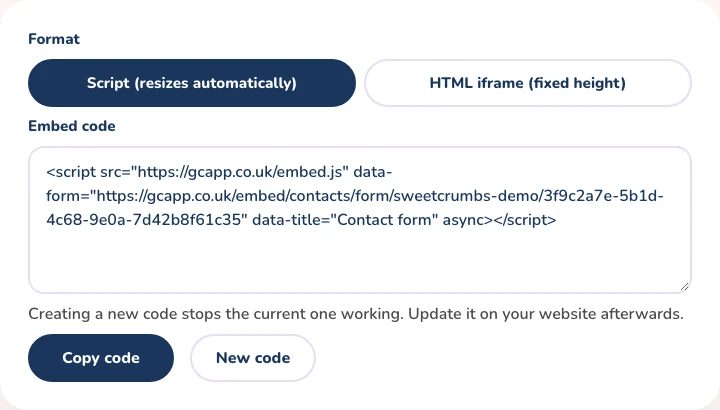
Open Settings and choose Website contact form. Pick the format that suits your website, copy the code and paste it into an HTML or embed block on the page where you want the form to appear. The form shows up inside your own page, with your business name and logo.
How it works
- Choose the Script format and the form resizes itself to fit your page, or the HTML iframe format for a fixed height
- The same code works for every visitor, so you only set it up once
- Every submission is added to your contacts, just like a form you send to a client
- Create a new code at any time to replace the old one, which stops working straight away
Still sending the form to individual clients?
Send Form on the Contacts page still gives each client their own link. The website form is for everyone who finds you online.
Available on the Part Time and Full Time Baker plans
The website contact form is part of the Part Time Baker and Full Time Baker plans, and is set up on the web. If you are a Hobby Baker, you can compare plans and upgrade any time from Settings. Send Form, for sending the form to one client, stays available on every plan.
Bring every enquiry into one place
Add the form to your website and each enquiry arrives in your contacts. It is part of the Part Time Baker and Full Time Baker plans.