← Back to How To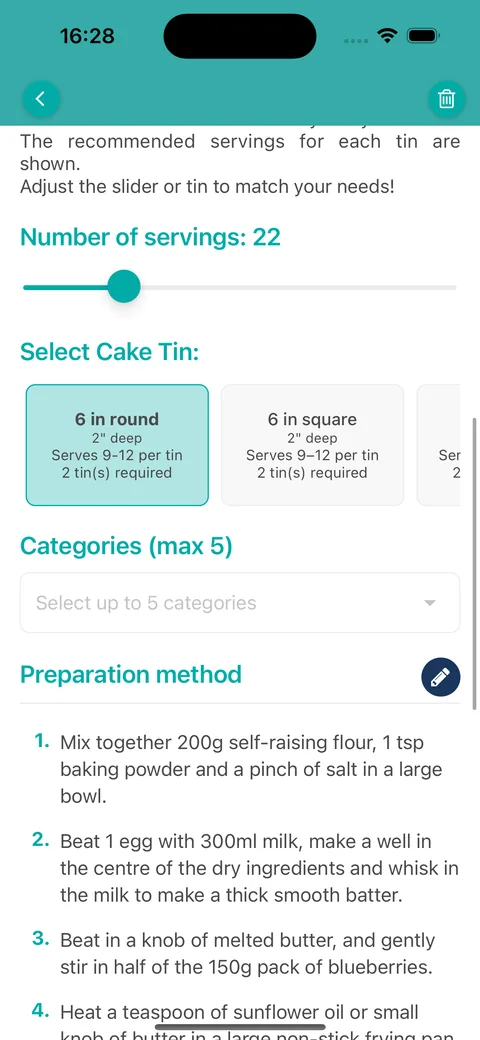
Set servings and choose a tin 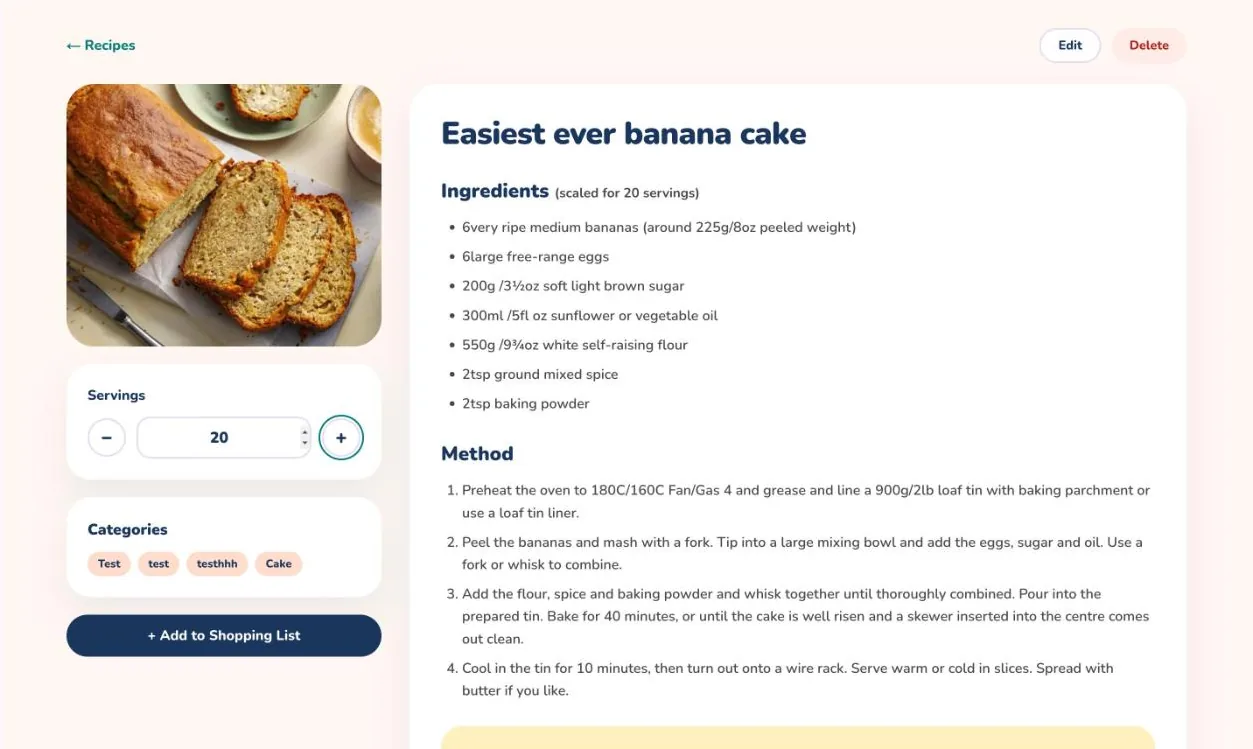
Ingredients scale as you change servings
How to scale a recipe
Need a bigger batch, a smaller bake or a different tin? Change the number of servings and the ingredients are recalculated for you.
On the mobile app
- Open a recipe from the Recipes tab and scroll down below the ingredients.
- Drag the slider under Number of servings until it shows how many servings you need.
- Under Select Cake Tin, choose a tin. The app shows how many servings each tin gives and how many tins you will need.
- Scroll back up. The ingredient list now shows the scaled amounts.
- Tap the cart button next to Ingredients to put the ingredients on a shopping list.
If you change the servings or the cake tin of a saved recipe, the app asks you to confirm first, because it affects how the ingredients scale later.
On the web
- Open a recipe from Recipes.
- Under Servings, type a number or use the − and + buttons.
- The ingredient amounts change straight away, and the heading shows which number of servings they are scaled for.
- Select + Add to Shopping List to add the scaled ingredients to a shopping list.
Scaling changes the amounts only. Check the method, especially baking times and tin sizes, when you make a much bigger or smaller batch.