← Back to How To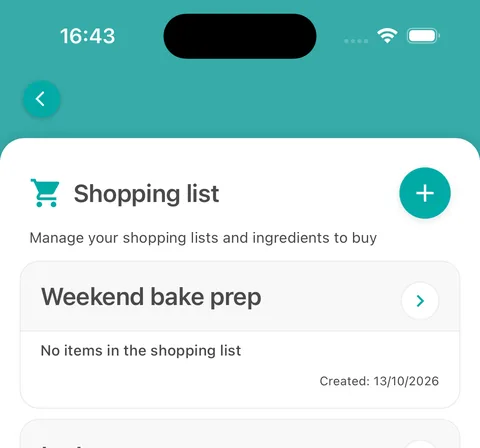
Your shopping lists 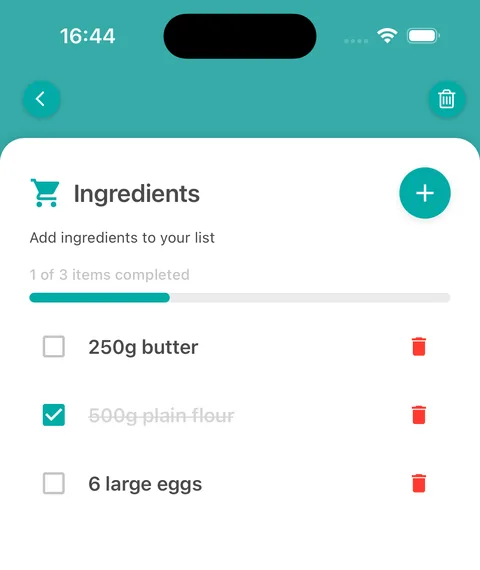
Tick items off as you shop 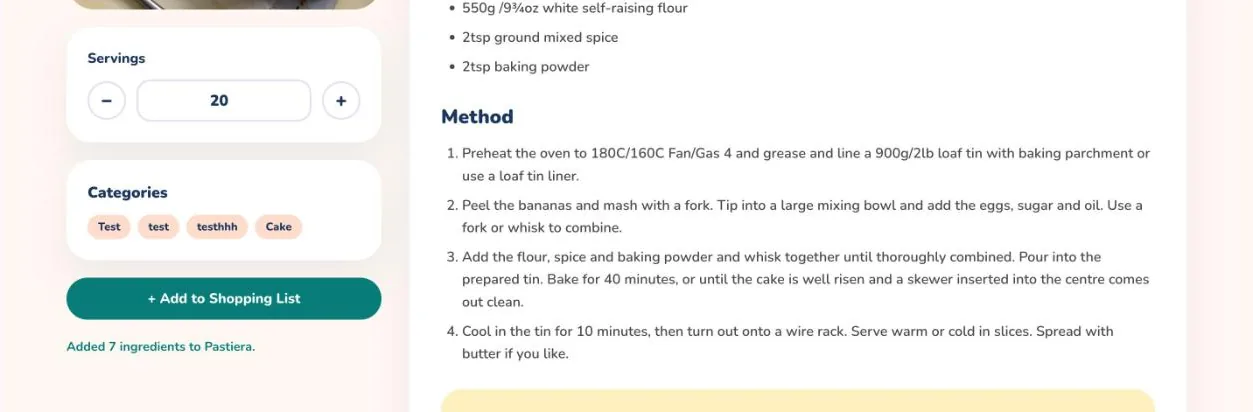
Add a recipe's ingredients 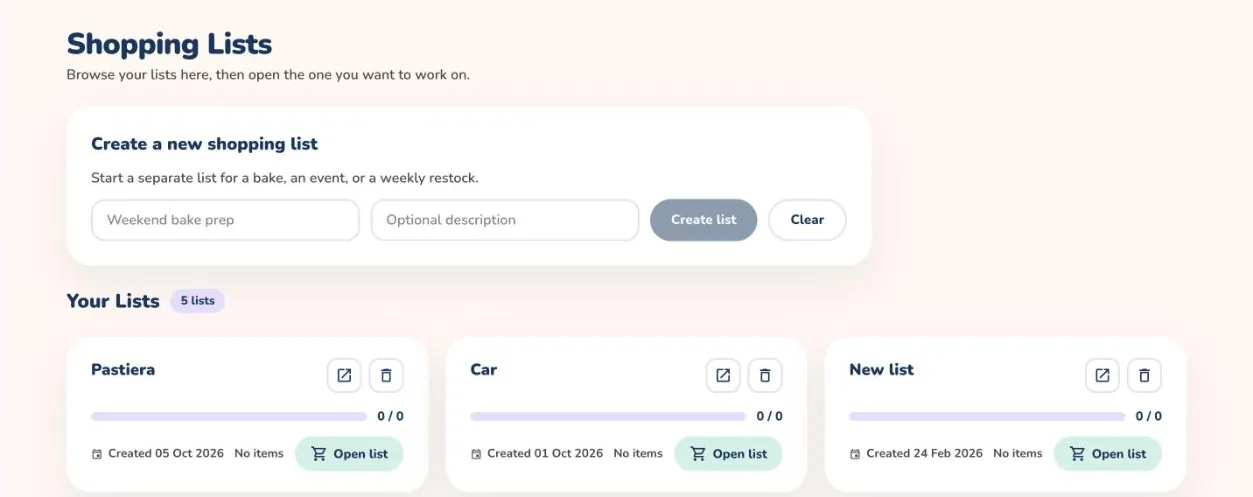
Create and open lists 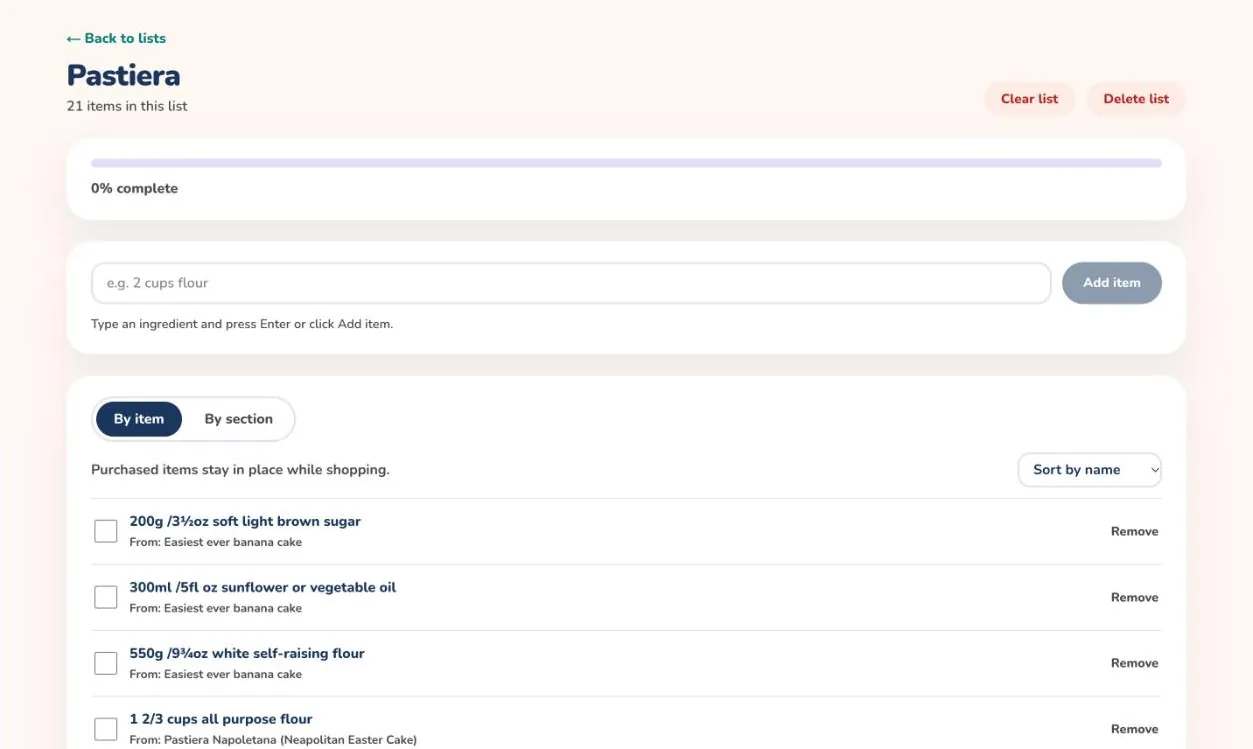
Work through your list
How to build a shopping list
Turn the recipes you plan to bake into one list of everything you need to buy, then tick items off as you shop.
On the mobile app
- Tap the menu button at the top left and choose Shopping list.
- Tap the + button, type a name such as Weekend bake prep and tap Create List.
- Tap the list to open it, then tap +, enter an ingredient with its quantity, for example 500g plain flour, and tap Add Ingredient.
- Tick an ingredient when you have bought it. The bar at the top shows how many items are done.
- To add a whole recipe, open it and tap the cart button next to Ingredients, then choose the list in Select Shopping List.
- Use the bin on a row to remove an ingredient, or the bin at the top right to delete the whole list.
Each list keeps its own progress, so you can have one list for the weekend bake and another for an event.
On the web
- Open a recipe and set the number of Servings you plan to bake.
- Select + Add to Shopping List. A message confirms how many ingredients were added and to which list.
- Open Shopping List from the menu to see all your lists.
- To start a new list, type a name and an optional description under Create a new shopping list and select Create list.
- Select Open list on a list. Type an ingredient such as 2 cups flour and press Enter or select Add item.
- Tick items as you buy them. Switch between By item and By section, sort the list, or use Remove and Clear list to tidy up.
Each ingredient shows which recipe it came from, so you always know why it is on the list.