The calculator adds up your ingredients, your time, extras and delivery, then applies your profit and any discount to give a final price you can quote with confidence.
On the mobile app
Open the Calculate tab and tap the + button to start a new calculation.
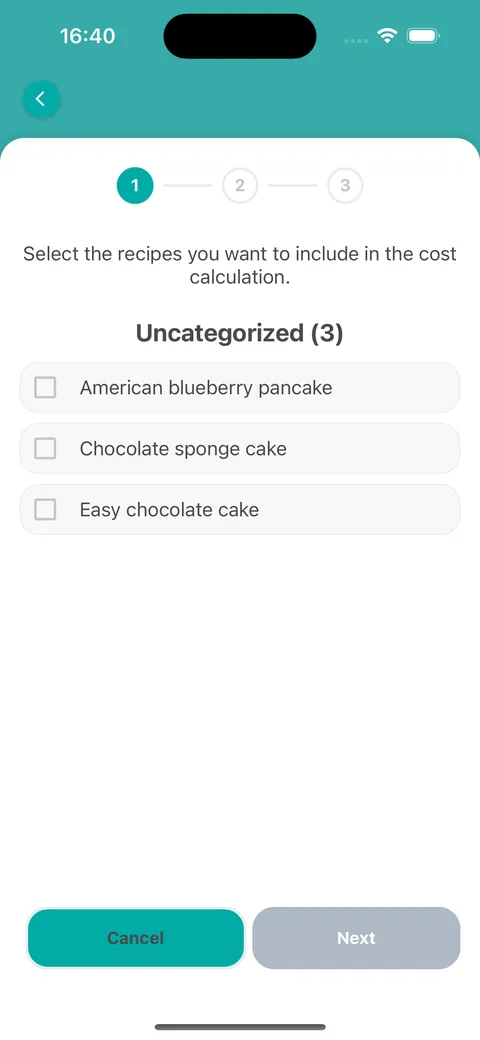
Step 1: tick the recipes you are pricing, then tap Next.
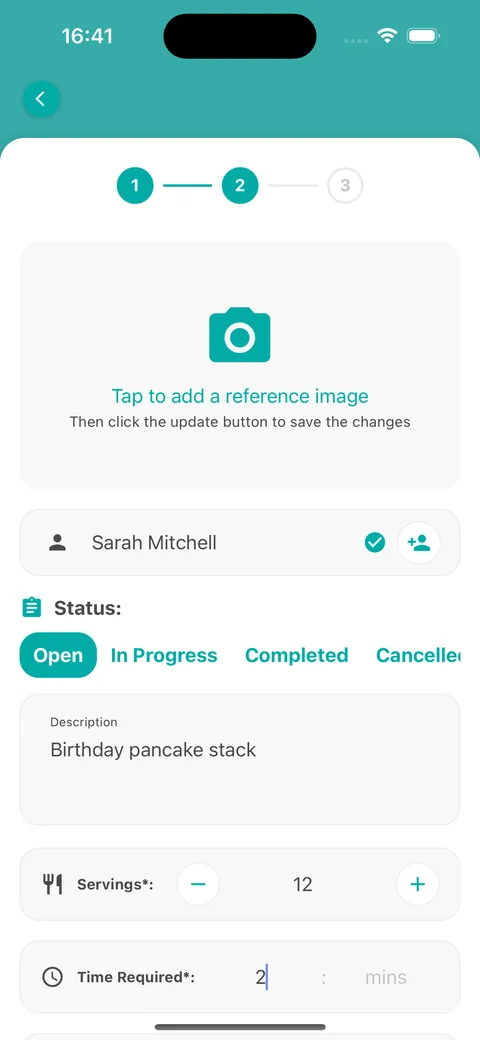
Step 2: type or pick the customer name, set the status, add a description, and enter the Servings and the Time Required.
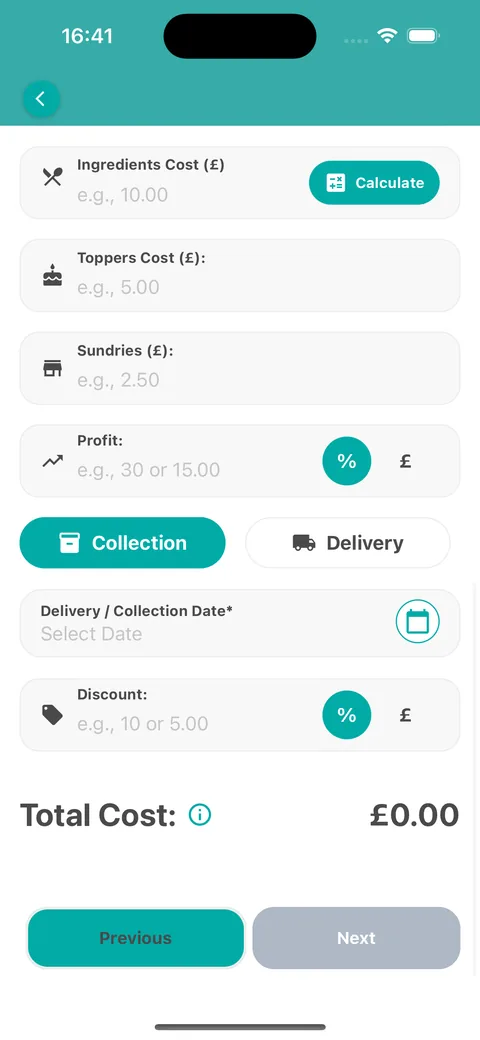
Add your Hourly Rate and the Ingredients Cost, plus any toppers, sundries and delivery costs. Set your Profit and any Discount as a percentage or an amount.
Choose Collection or Delivery and select the date. The Total Cost at the bottom updates as you type.
Tap Next to review the quote, then save it. It appears in your Calculate list.
Tap Calculate next to Ingredients Cost to have the ingredient costs worked out for you. The guide to estimating ingredient costs with AI explains how.
Saved calculations keep their customer and date, so they also appear in the Planner.
Choose the recipesEnter the order detailsAdd costs, profit and discount
On the web
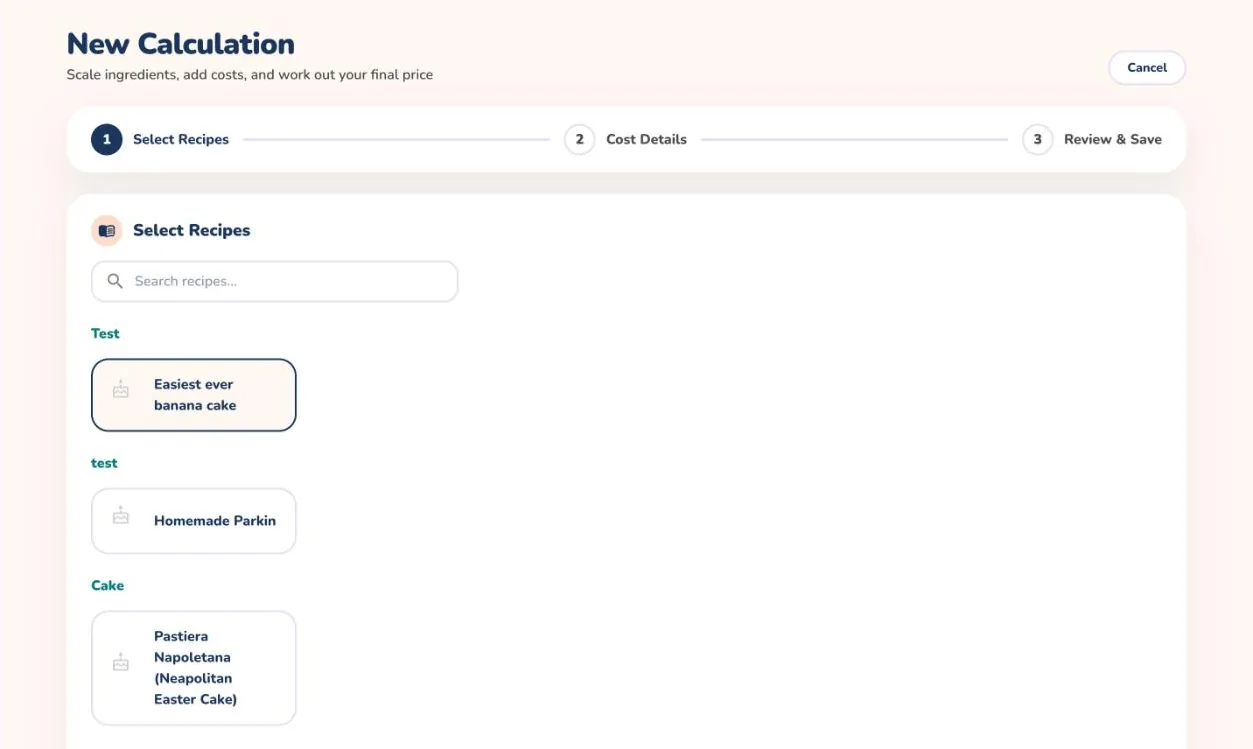
Open Calculate from the menu and select + New Calculation.
In Select Recipes, choose the recipes you are pricing and select Next: Cost Details →.
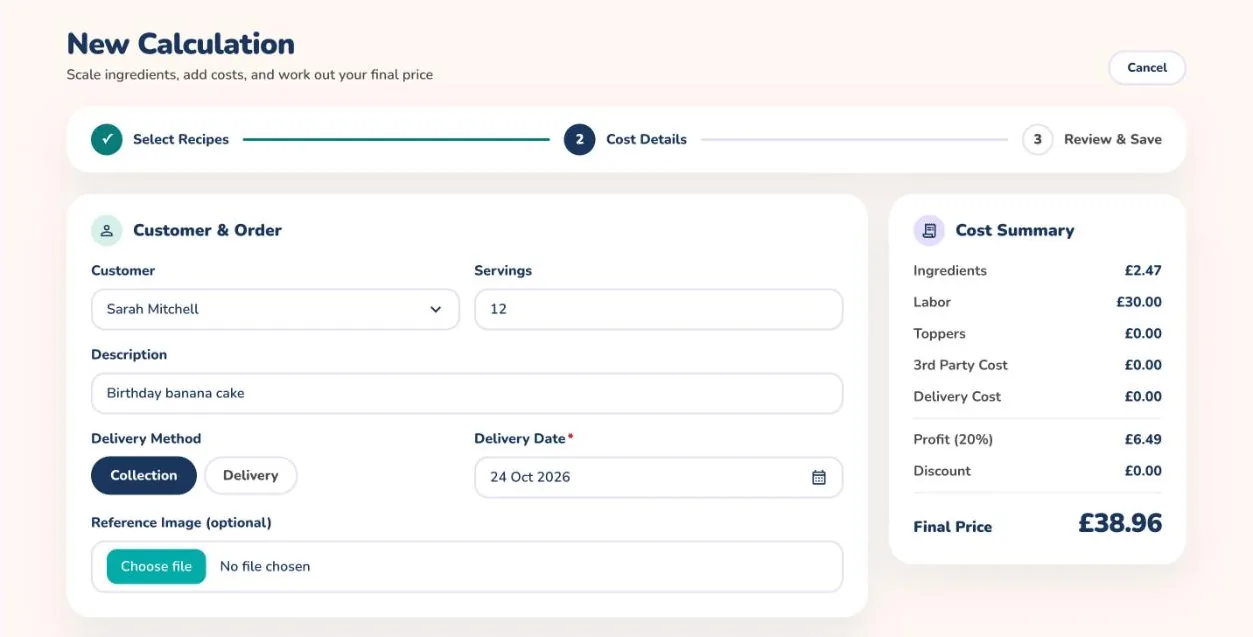
Under Customer & Order, pick the customer, set the number of Servings, add a description, choose Collection or Delivery and pick the date.
Enter your time under Time & Labor, check the Ingredients Cost table, and add any Additional Costs such as toppers, decoration, third-party costs and delivery.
Under Profit & Discount, choose Percentage or Fixed for each and enter the value. The Cost Summary shows the Final Price as you go.
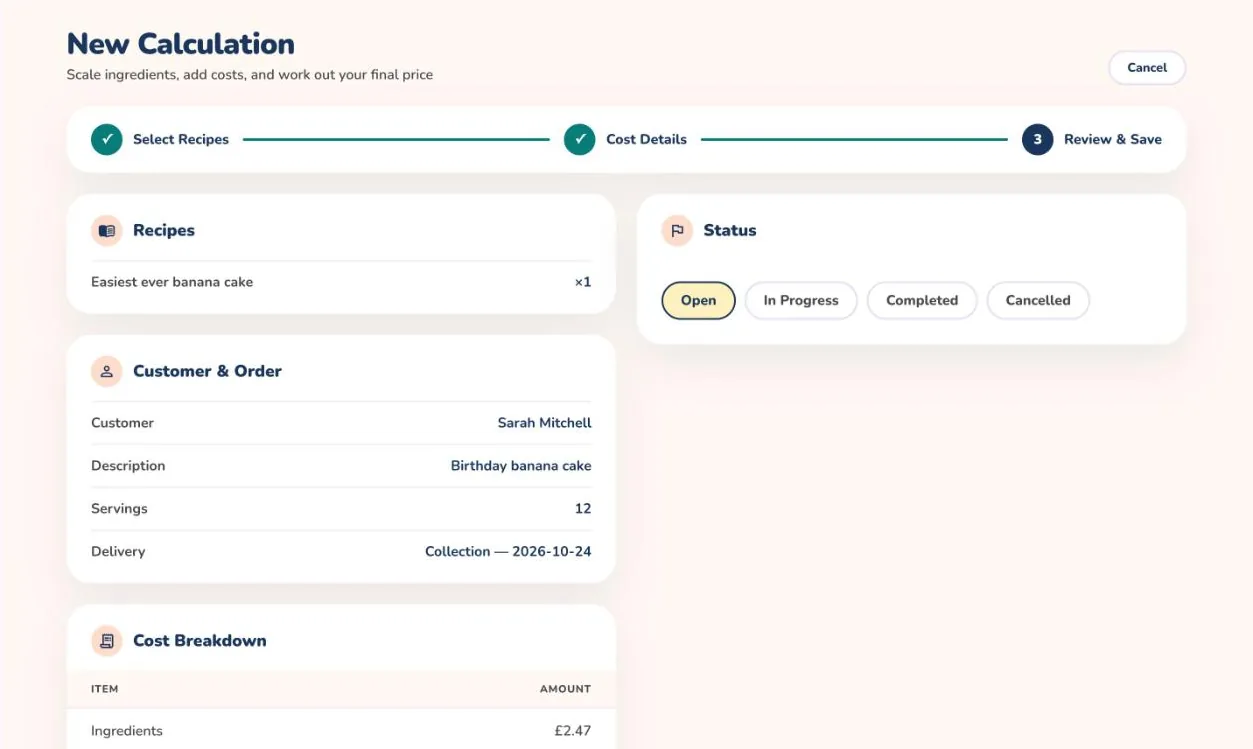
Select Next: Review →, pick a status such as Open or In Progress, check the breakdown and select Save Calculation.
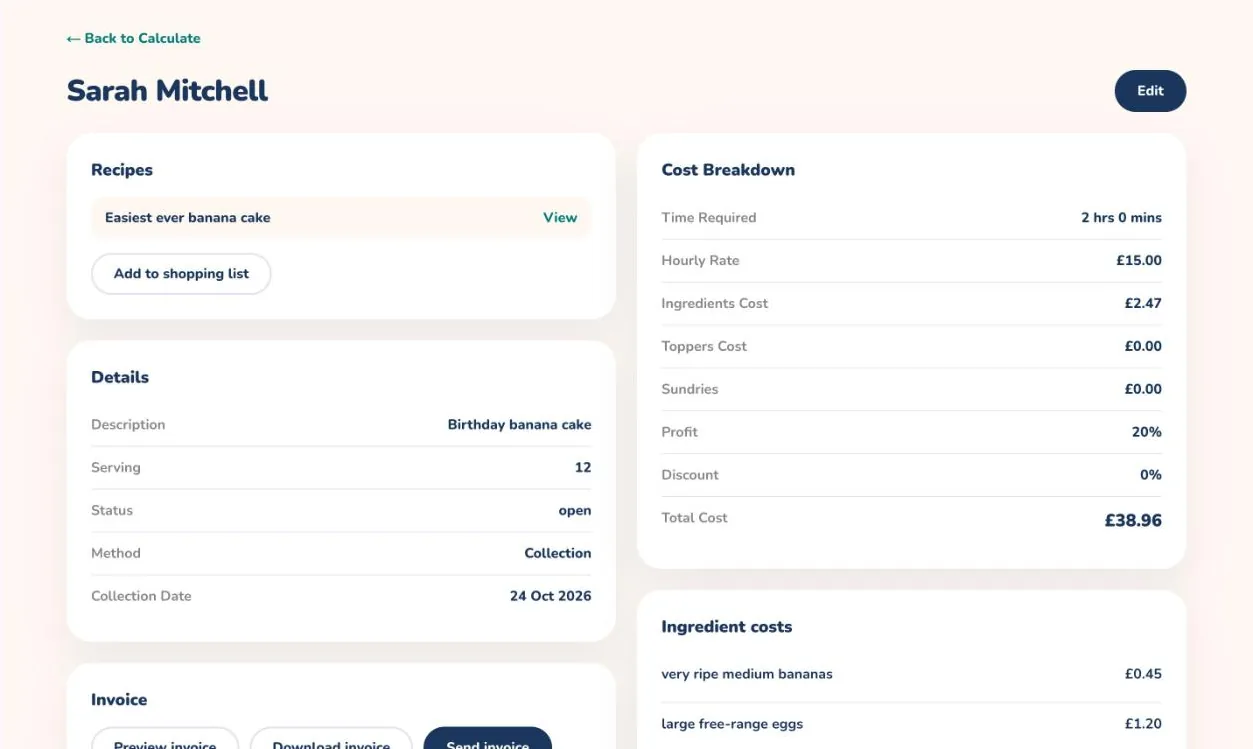
Open a saved calculation from the Calculate list to see the full cost breakdown, edit it or send an invoice.
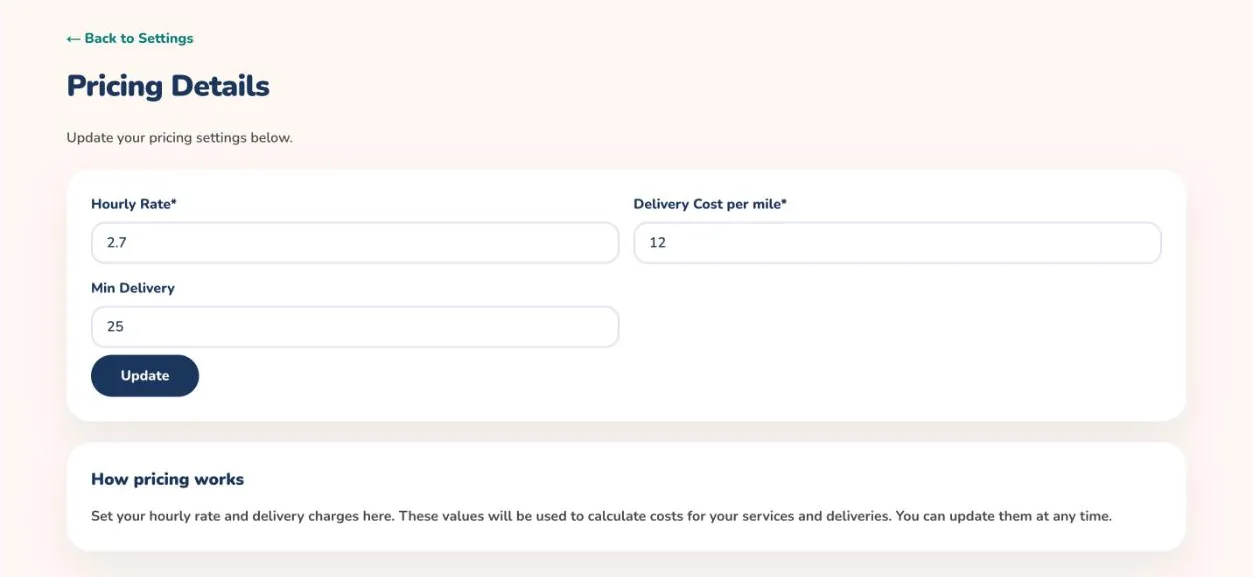
Keep your hourly rate, delivery cost per mile and minimum delivery charge up to date under Settings, then Business Pricing.
Select the recipesEnter costs and see the final priceReview before you saveA saved calculationSet your rates