Instead of looking up every price, let the AI work out what your ingredients cost for the servings you are baking, then use the total in your quote.
On the mobile app
Start a new calculation from the Calculate tab, tick your recipes and tap Next.
Enter the Servings. The AI needs them to size the quantities.
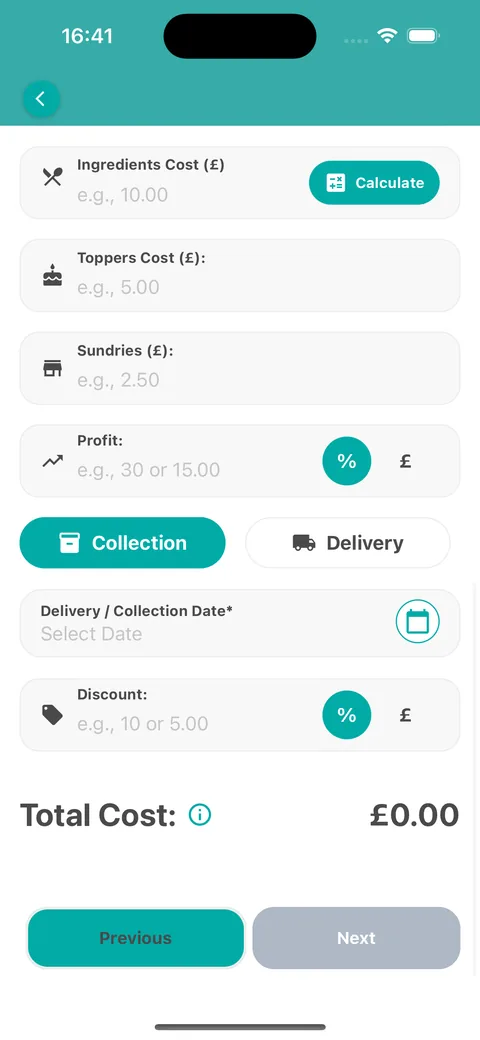
Scroll to Ingredients Cost and tap Calculate. Our AI agent works through each ingredient, which takes a moment.
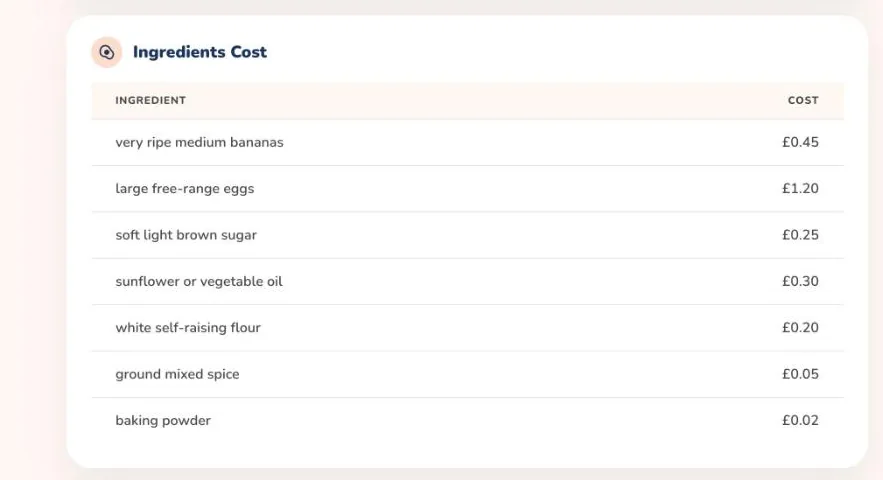
Review the Ingredients Cost Breakdown. It lists a cost estimate for every ingredient and the Total Ingredients Cost.
Tap Add to Calculation, or Update Calculation if you already have a total, to use it in your quote.
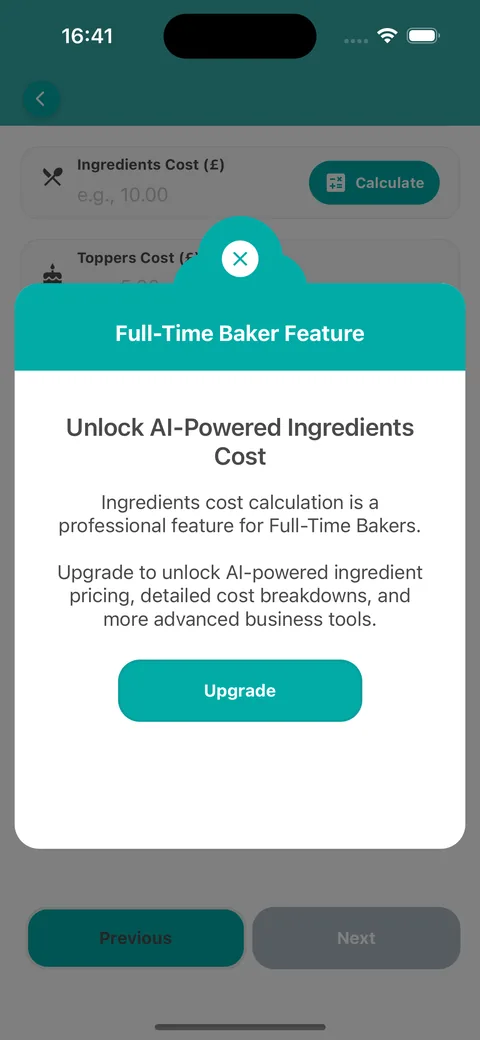
AI ingredient costing is a Full-Time Baker feature. On other plans, tapping Calculate shows an upgrade prompt and you can type the ingredients cost in yourself.
These are estimates. Prices vary by shop and region, so adjust the total if you know better.
Tap CalculateWhat you see on other plans
On the web
Open Calculate, select + New Calculation, choose your recipes and select Next: Cost Details →.
Set the number of Servings first, because the costs are worked out for that many servings.
Scroll to the Ingredients Cost table. On the Full-time plan each ingredient is listed with its estimated cost.
The total feeds the Ingredients line of the Cost Summary, so your final price updates automatically.
Automatic ingredient costing is available on the Full-time plan. On other plans you will see a link to the pricing plans.
The estimates change when you change the number of servings, so set the servings before you review them.