← Back to How To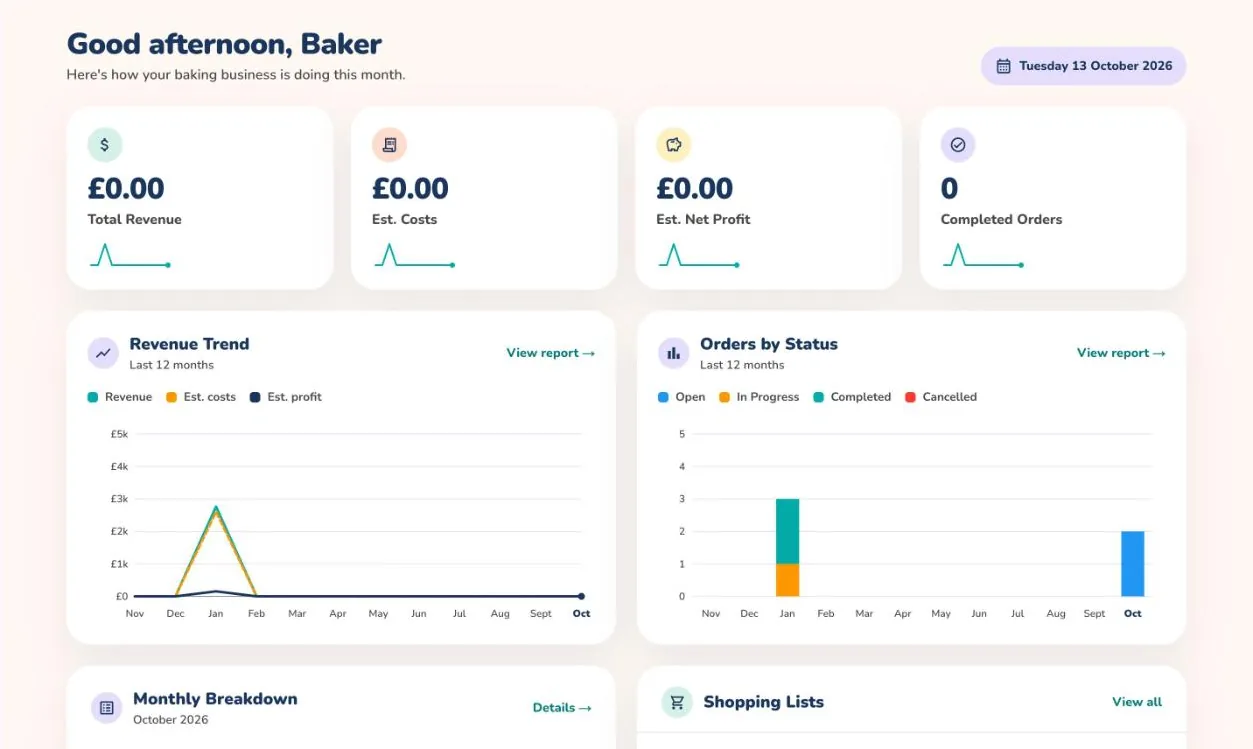
Your business at a glance 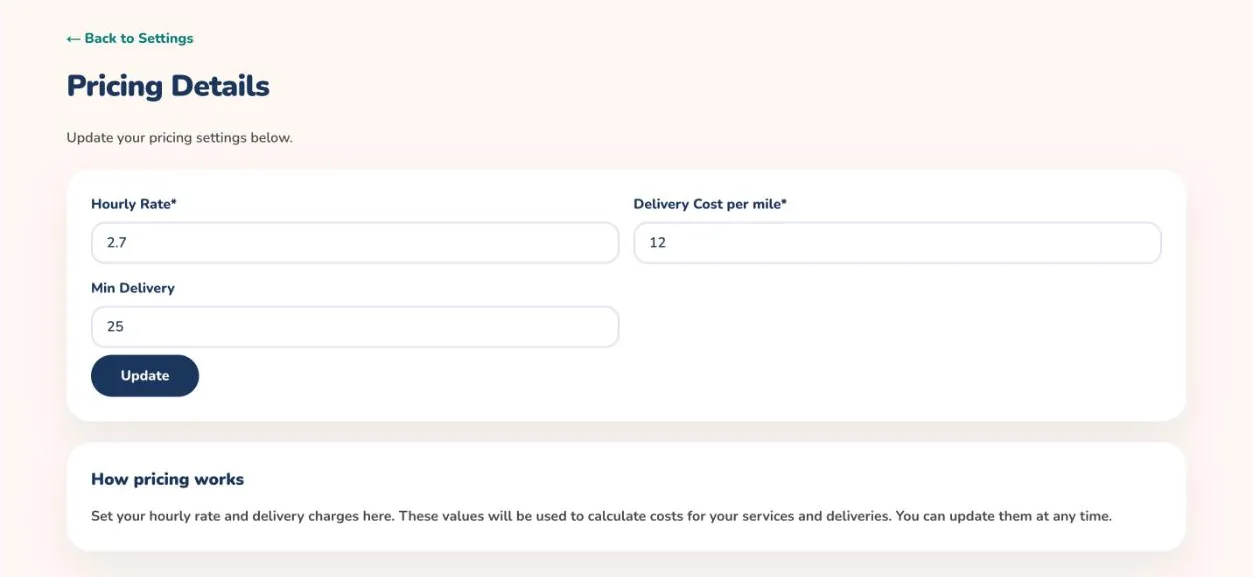
Business pricing settings
How to run your baking business
The dashboard and business settings give you one place to see how your bakes are selling and to keep your rates, invoices and preferences up to date.
On the mobile app
- Open the menu at the top left and choose Business Management.
- Open Business Details to enter your business name and contact details.
- Open Business Pricing to set the rates used in your calculations.
- Open Invoice Template to set up how your invoices look.
- Open Business Analytics to track your revenue and how your orders are going.
Business tools are exclusive to Full-Time Bakers. On other plans the app invites you to upgrade.
The Home tab also shows a monthly breakdown once you have completed some orders.
On the web
- Open Dashboard from the menu. The cards across the top show Total Revenue, Est. Costs, Est. Net Profit and Completed Orders.
- Below them, Revenue Trend and Orders by Status chart the last 12 months. Select View report → to open the full report.
- Scroll down for your Monthly Breakdown and your Shopping Lists.
- Open Settings to look after your business: Business Details, Business Pricing and Invoice Template.
- In Business Pricing, enter your hourly rate, delivery cost per mile and minimum delivery charge, then select Update.
- Under Preferences, choose your language, your currency and how often you shop.
Keep the status of each calculation up to date. The dashboard counts completed orders.