Add a recipe without retyping it. Glowing Constellation uses AI to read the recipe and fill in the name, servings, ingredients and method for you, then lets you check everything before it is saved.
On the mobile app
Open the app and go to the Home screen. You will see an Add a Recipe panel. You can also add a recipe from the Recipes tab.
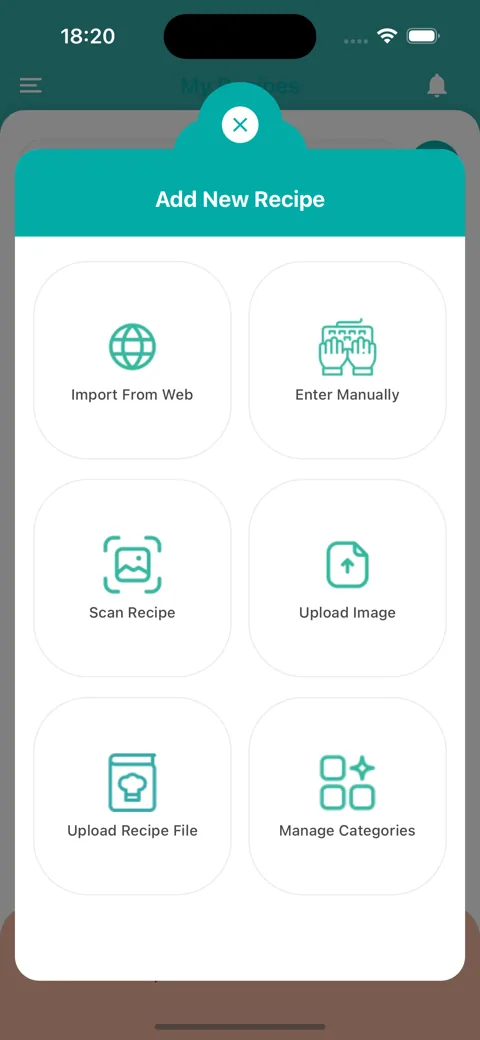
Choose how you want to add the recipe:
Import From Web to pull a recipe from a web page link.
Scan Recipe to take a photo of a recipe with your camera.
Upload Image to pick a photo of a recipe from your photo library. It is labelled Upload Recipe Image on the Home screen.
Upload Recipe File to import a recipe from a file on your phone.
Enter Manually to type the recipe in yourself.
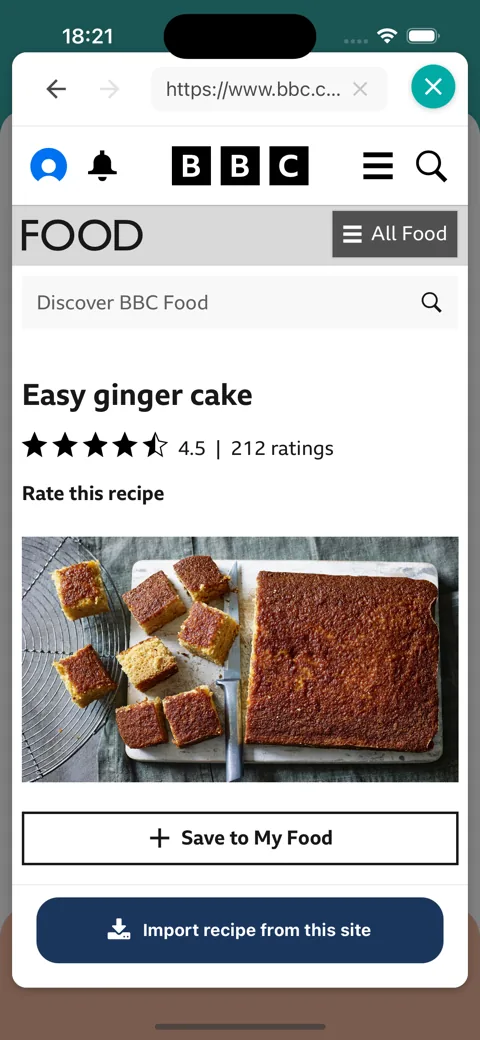
If you chose Import From Web, an in-app browser opens on a Google search for recipes. From here:
Type a search or paste a link into the bar at the top, labelled Search recipes or enter website URL, then tap the search button.
Open the recipe you want. Use the back and forward arrows at the top left to move between pages.
Once you are on a single recipe page, an Import recipe from this site button appears at the bottom. Tap it.
Wait a moment while the AI reads the recipe.
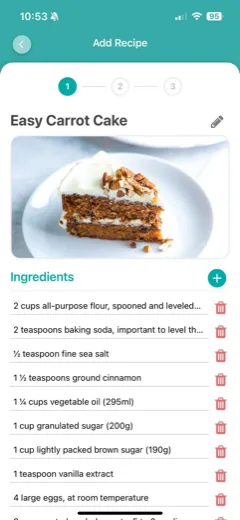
Step 1 of 3: check the recipe name, photo, servings and ingredients. Tap the pencil to rename the recipe, the bin to remove an ingredient or the plus to add one.
Step 2 of 3: check the method.
Step 3 of 3: choose your categories, add any notes and save.
The import button stays hidden on home pages and on search results, so if you cannot see it, open the individual recipe first.
If the recipe states how many servings it makes, the app detects it. Changing the servings or cake tin afterwards affects how the ingredients scale later, so the app asks you to confirm first.
Choose an import methodOpen a recipe in the in-app browserReview the imported recipe
On the web
Log in and open Recipes from the menu.
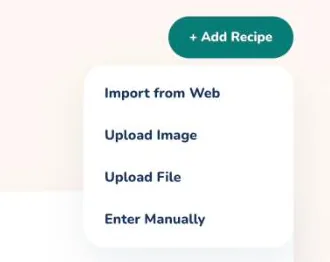
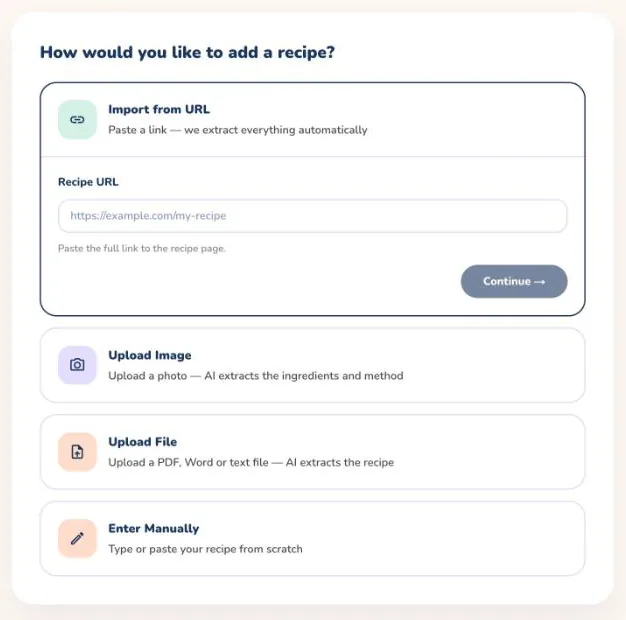
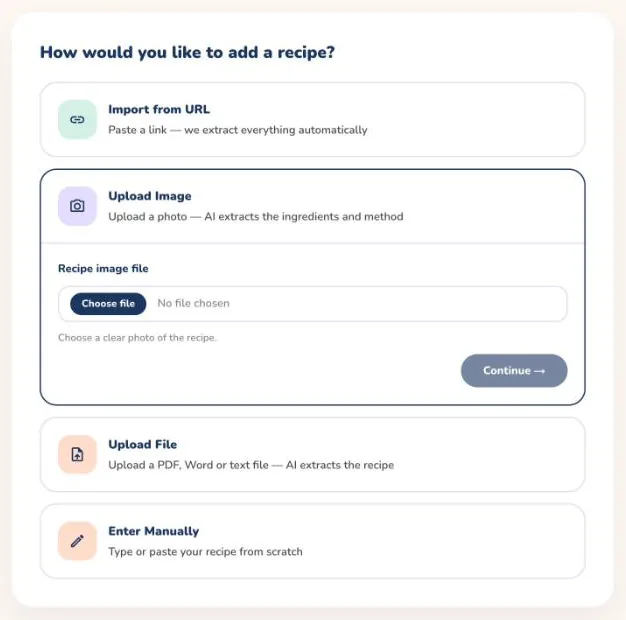
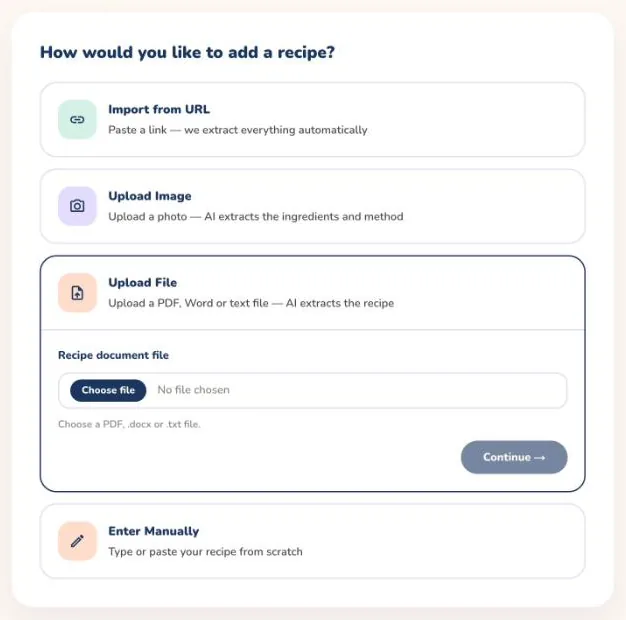
Select + Add Recipe and choose a method:
Import from Web to pull a recipe from a web page link.
Upload Image to upload a photo of a recipe.
Upload File to upload a PDF, Word or text file of a recipe.
Enter Manually to type the recipe in yourself.
For Import from Web, paste the full link to the recipe page into the Recipe URL box. For Upload Image, choose a clear photo of the recipe. For Upload File, choose a PDF, .docx or .txt file.
Select Continue and wait while the AI extracts your recipe.
Check the details on the form, make any changes and save the recipe.
If the import fails, check that the link opens a recipe page, or try a clearer photo or a different file, then try again.
Select + Add Recipe and choose a methodPaste the link to the recipe pageOr choose a photo of the recipeOr choose a PDF, Word or text file