Let your customers pay your invoices online
Chasing a bank transfer after the cake has been collected is nobody’s favourite part of the job. With online payments, the invoice you send can carry a payment link, so your customer can pay the moment they open it.
Connect your Stripe account once
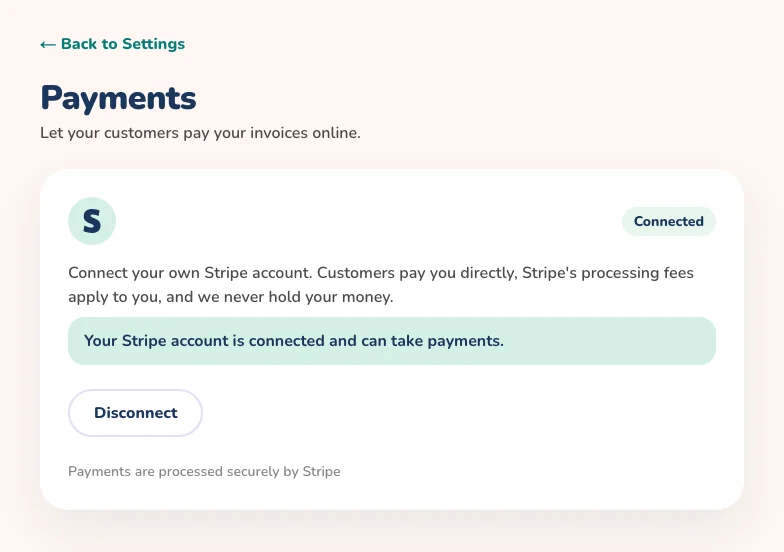
Open Settings and choose Payments, then connect your own Stripe account. If you already have one, you sign in; if not, Stripe walks you through creating one. Customers pay you directly, Stripe’s processing fees apply to you, and we never hold your money.
Add a payment link to any invoice
- Open a saved calculation and choose to send the invoice by email or message
- Tick the option to include a payment link so the customer can pay online
- The link appears in the email, in the invoice PDF and in the message
- Your customer pays on Stripe’s secure page and sees a confirmation when it goes through
You stay in control
Payment links are optional, so you choose invoice by invoice whether to include one. You can disconnect Stripe at any time from the same Payments page, but payment links you already sent will stop working.
Part of the Full Time Baker plan
Online payments sit alongside invoicing, business management and suppliers in the Full Time Baker plan, on the web. If you are on another plan, you can compare plans and upgrade any time from Settings.
Get paid faster for every order
Connect Stripe once and add a payment link to your invoices. Online payments are part of the Full Time Baker plan.