Put a QR code on every cake box: our new free QR code generator for bakers
Every cake you sell leaves your kitchen in a box, and that box is a small billboard. A QR code lets a happy customer reach your order form, your reviews page or your Instagram with a single scan of their phone, instead of trying to remember your name or typing out a web address.
Where a bakery can use a QR code
- Cake boxes, bags and stickers: link to your order form or a page where customers can leave a review
- Business cards and flyers: send people straight to your menu or shop instead of a long web address
- Market and fair stalls: show your menu, price list or Instagram on a sign at the front of the stall
- Shop windows and vans: let passers-by find your website, even when you are closed
- Wedding and party cake tables: share a gallery, a thank-you page or your contact details
More than a web link
Choose what your code is for and the generator does the rest. Type an Instagram, Facebook or TikTok handle and it builds the profile link for you. Type a phone number and it makes a WhatsApp chat link or a code that starts a call.
- Menu or order link, Google review and payment link: paste the address and you are done
- Instagram, Facebook and TikTok: type your handle, such as @sweetbakes, and we build the profile link
- WhatsApp orders: type your number and customers open a chat with you
- Call us: one scan starts a phone call to your number
- Wi-Fi: customers join your café or stall network without typing a password
- Contact card: one scan offers to save your name, phone, email, website and address on their phone, perfect for business cards
Make it look like your bakery
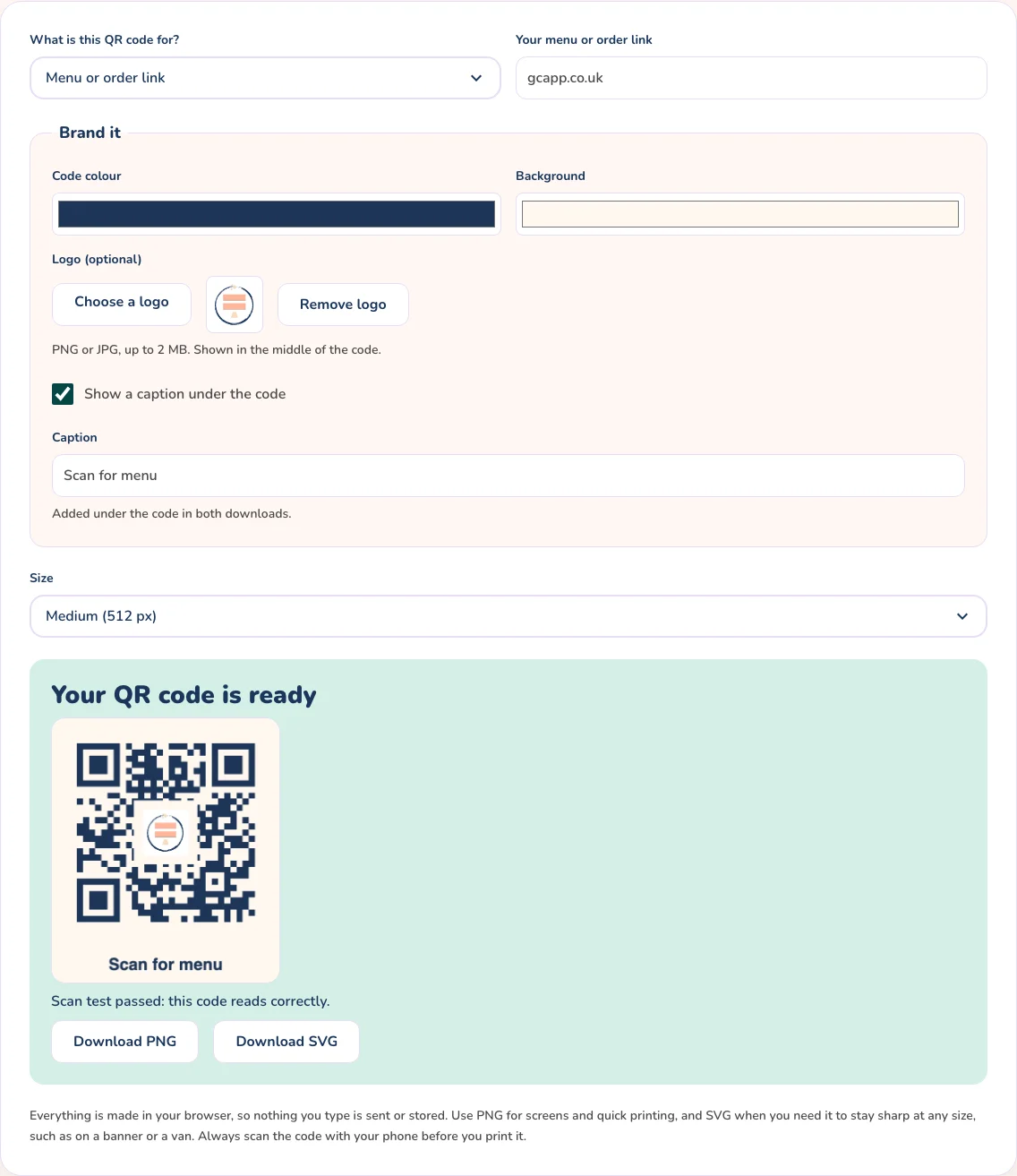
Pick your own code and background colours, add your logo in the middle and put a caption such as “Scan for menu” under the code. The generator warns you if your colours are too light to scan reliably, and it raises the error correction automatically when there is a logo so the code still reads.
How to make a QR code that scans first time
- Check the scan test: after every change the generator decodes your finished code in your browser and tells you whether it reads, or what to change
- Print it at least 2 cm (about 3/4 inch) square, and larger for posters, banners and anything people scan from a distance
- Use dark code on a light background, and leave a clear white border around it
- Keep the address short, because shorter addresses make simpler codes that are easier to scan
- Choose SVG for professional printing, stickers and signs, and PNG for websites, social posts and home printing
- Always scan the finished code with your phone before you print a batch
No sign-up, no tracking, no expiry
Many QR code websites put a redirect in the middle and switch your code off unless you pay. Ours does not. The code points straight at your address, it is created in your browser so nothing you type is uploaded, not your logo and not your Wi-Fi password, and it keeps working for as long as your address does.
Try the free QR code generator
Choose what the code is for, type your link, handle or details, add your colours, logo and caption if you like, then pick a size and download your QR code as a PNG or an SVG. If you leave off the https:// we add it for you, so phones open the code as a link. It is free and needs no sign-up.
Open the free QR Code Generator
Price and scale every bake with confidence
The Glowing Constellation App works out ingredient costs, scales recipes and keeps your baking business organised.